
Advanced Representation
Introduction
Course code : ENVT1010
Course co-ordinator : David Watson
Course weighting : 15 Credits
Life in the modern world has become increasingly competitive. This is particularly true when it comes to finding a job. Sometimes, simply being the best is not enough - you need to sell yourself. This course is all about promotion; promotion of yourself and promotion of your work. In a few months time, you will need to get a job and you will be presenting your work as part of an important degree show. Your success (or otherwise) in these two tasks may well have a profound influence on your future career. However, it is also important to see yourself in the context of the wider design world. It is important to know who you are and where you fit in the world of design. Studying the work of other designers and studying designed objects is a good way to create such a perspective.
Aims and Outcomes
This course is about technique. You will learn how to best represent yourself and your work using both digital and traditional media. You will learn how to communicate your ideas clearly and confidently using a range of presentation techniques, including a website. You must:
- become aware of your own personal style and learn how to develop it.
- develop personal branding and to apply that to your work.
- understand your strengths and weaknesses.
- become skilled in a range of advanced representation techniques.
- be able to contextualise yourself and your work within your own area of design and within design generally.
Format
The course runs over 13 weeks and consists of four projects and a number of workshops. The workshops are mainly computer related and are based in the Tower computing labs, see timetable for details. You must complete all 4 projects in order to complete the course. The results of each project must be submitted at the times given for assessment.
Workshops
The workshops will focus on web page design and digital techniques that enable you to represent your degree work and to present your portfolio in a professional manner. The various topics are given on the timetable although this is only meant to be indicative and may change to suit specific requirements. Detailed tutorials etc. may be given at the workshop sessions or made available on-line.
Course Schedule
The course schedule gives an overview of the timetable, weekly topics and submission dates for this course. There may be occasional changes, so check back frequently.
| Date | Room | Title | |
|---|---|---|---|
| 14th January | Lab B | Introduction and Curate the Designed World project | |
| 21st January | Lab B | Postponed (adverse weather) | |
| 28th January** | Lab A | "This is Me" Branding project | |
| 28th January | Lab B | Website project introduction & Web design overview | |
| 4th February | Lab B | Guidance & Employability Team (GET) presentation and CV Writing project | |
| 11th February | Lab B | Digital Techniques Workshop: Personal Style | |
| 18th February | Lab B | Web design - hosting, domain names & SEO | |
| 25th February | Lab B | Final crit & hand-in Curate the Designed World project | |
| 4th March | Lab B | Final crit & hand-in "This is Me" Branding project Developing a Graphic Narrative | |
| 11th March | Lab B | Hand-in CV Writing project Workshop: Presentation Techniques | |
| 18th March | Lab B | Digital Techniques Workshop: open surgery | |
| Easter Break (3 weeks) | |||
| 15th April | Lab B | Website Design Review | |
| 22nd April | Lab B | Digital Techniques Workshop: Final Touches | |
| 29th April | Lab B | Final crit & hand-in Website | |
All sessions are 5pm to 8pm in Tower Lab B except ** (2pm to 5pm in Lab A)
Course Documents
There are currently 17 files in this section
| Filename | Size (KB) | Date Modified | |
|---|---|---|---|
 |
balloons.jpg | 34.5 | 27th Aug 2019 |
 |
designed-world.html | 3.3 | 27th Aug 2019 |
 |
ENVT1010 Course Brief 09-10.pdf | 72.5 | 27th Aug 2019 |
|
Example Business Card.pdf | 21.9 | 27th Aug 2019 |
 |
example_web_page.txt | 0.6 | 27th Aug 2019 |
|
eye-template.html | 3.6 | 27th Aug 2019 |
|
Garden Design Flier Brief 2008.pdf | 15.3 | 27th Aug 2019 |
|
index.html | 0.4 | 27th Aug 2019 |
|
page1.html | 0.3 | 27th Aug 2019 |
|
page2.html | 0.3 | 27th Aug 2019 |
|
Personal Branding.pdf | 293.8 | 27th Aug 2019 |
 |
Portfolio_Green.zip | 77.4 | 27th Aug 2019 |
|
Portfolio_Grey.zip | 77.5 | 27th Aug 2019 |
|
Portfolio_Orange.zip | 77.0 | 27th Aug 2019 |
|
Portfolio_White.zip | 100.7 | 27th Aug 2019 |
|
This is me (5x5).pdf | 6.7 | 27th Aug 2019 |
|
typography-example.html | 4.1 | 27th Aug 2019 |
Support Materials
There are currently 2 files in this section
| Filename | Size (KB) | Date Modified | |
|---|---|---|---|
|
CV Writing Techniques.pdf | 1,363.4 | 27th Aug 2019 |
|
Interview Questions.pdf | 15.0 | 27th Aug 2019 |
Projects
You must complete 4 projects:
- "This is me" (branding) - You will design and produce a co-ordinated business card and A4 headed notepaper. The card and notepaper have two purposes. Firstly they will be used as vehicles for the development of your personal branding. Secondly, they will be used as a basis for the CV you will create in the next project.
This project should be submitted as a .PDF file (maximum file size 2MB) and uploaded to the coursestuff website during the class on the day of submission. The file must be named using the following format: Student ID_brand.pdf. For example, if your ID is ab123, your file will be ab123_brand.pdf. Use the Coursework Submission page to upload your work for review and assessment. Take a look at this example format for the business card submission. It was created in Adobe Illustrator and saved as a PDF file. A maximum file size of 2MB is set for this submission but in most cases your file should only be a few hundred KB at most. Do make sure that all images used are correctly compressed for screen resolution - this will help keep file sizes down.
- Curriculum Vitae - Using the branded stationary designed in the previous project, you will produce a CV for yourself. You will need a CV to go with your future job applications and the content is just as important (if not more) as the design. Susan Hudson (Careers Co-ordinator) will be giving a talk and advice on CV writing on 1st and 8th February.
This project should be submitted as a .PDF file (maximum file size 2MB) and uploaded to the coursestuff website during the class on the day of submission. The file must be named using the following format: Student ID_cv.pdf. For example, if your ID is ab123, your file will be ab123_cv.pdf. Use the Coursework Submission page to upload your work for review and assessment.
- Eye of the Beholder – We live in a world that is almost entirely designed and most of the time we simply accept what we see for what it is and never wonder about the story behind it. The truth is that for every designed object there is a designer, irrespective of whether the object is a mundane part of our everyday life or whether it is a desirable design classic.
However, designers often take their inspiration from the natural world or from serendipitous conjunctions of natural, abandoned or "found" objects. This project aims to help you make connections between the random and the designed.
Choose a "found" object (or collection of objects) that you find aesthetically pleasing. Maybe you already have a favourite pebble that you keep in your pocket or maybe there is a particular variety of apple that you like or maybe you stumble upon a crushed baked bean tin. Write a critical analysis of the object, focussing on aesthetic criteria such as colour, texture, use of materials and size. Take photographs of the object in order to illustrate your points.
Each mini essay should be presented as a webpage using a template you will be given. All the essays will form a new section of this website similar to the sections on Designers, Artists and Heroes, and Designed World, created by students in previous years (see below).
This project should be submitted as a .HTML file and and one or more .JPG files. These files will be uploaded to the coursestuff website during the class on the day of submission. The file must be named using the following format: Student ID.html. For example, if your ID is ab123, your file will be ab123.html. Image files should be similarly named using the following format: ab123_1.jpg, ab123_2.jpg… Use the Coursework Submission page to upload your work for review and assessment.
The Eye of the Beholder - A pro-forma for your Designed World submission.
The link above will take you to a webpage. That page is a template for your "Eye of the Beholder" project essay. In order to add your own content to the template, you will first need to save the file to your desktop. To do this, right-click on the link and select "Save Target As…" from the menu. Save the file to a convenient folder using the naming format described above. Open the file in a text editor and add your content.
Plagiarism warning!
In the past, students have found it convenient to copy text from other websites and include it with their submission. Please note that this is plagiarism and if found out, you will fail this project. Consider this an essay; you should use your own words. If in doubt, please ask.
- Personal Website - This project is very much a digital progression of the CV project. However, the web format does give you a whole range of additional options not available to you in print. You will design and implement a personal web site showing a range of your work along with CV details and using the branding livery developed in the first project. It is important that your web site remain on-line while you look for a job so you will need to organise your own personal web space outside of the University (there is a lot of free and low-cost space out there). You should also consider acquiring a personal domain name. All of these issues will be discussed.
The website submission is to be made by email. An email must be sent to the course tutor before 5pm on the date of submission, with a link to your website. Your website must be completed and available online at that time. Unavailable websites will be treated as late submissions. The course tutor's email address can be found in the course brief.
Submission dates are shown with an asterisk on the Course Calendar.
Assessment
Assessment for this course will be based upon the 4 projects as follows:
"This is me" (branding) 20%
Curriculum Vitae 20%
Personal Website 40%
Eye of the Beholder 20%
In all cases, your work will be awarded merit for quality, attention to detail and good design.
Projects from previous years
The 2008 Project
The Designed World 2 - Links to all the work.
The 2007 Project
The Designed World - Links to all the work.
The 2006 Project
Designers, Artists and Heroes - Links to all the work.
Career and CV Help
- Prospects Website - Career support for graduates
- CV writing advice and examples - Prospects Website
Build a website online for free
If you have no interest in the mechanics of web design and you have no money to spend on a website, try out the options below. They enable you to create a template driven website using a simple WYSIWYG interface for free.
- Weebly - quick, easy and free way to get your own website
- Freewebs - another contender for best free and easy website maker
Example Websites
Graphic Design
- agdesign - too minimal (no portfolio!)
- Thibaud van Vreckem - if you're going to use Flash, use it REALLY well
- James Grimwood - simple, to the point and a good balance between all Flash and no Flash
- Matt Davies : Attitude Design - good, fast loading HTML site with good example CV
- 3Sixty Design - another fast loading HTML site that looks like flash
- Frost Design - if typography is your thing
- iLK - look ma, no Flash: excellent example
Garden Design
- heavenly gardens - bright and contemporary with a Tord Boontje feel
- Caro Garden Design - fixed format and pastels with good photography
- mylandscapes - sophisticated and cool
- Cheryl Cummings Garden Design - good example of a simple but effective website
- Roger Webster Garden Design - simple but professional-looking website
General Web Design Learning Resources
 HTML Dog - Great learning resource for web design by Patrick Griffiths
- Opera Web Standards Curriculum - Excellent & free - a whole course in web design
- My first web page - A video tutorial
- Linking a CSS file to your first web page - A video tutorial
- Uploading your HTML and CSS files using FTP - A video tutorial
- Web Style Guide - Excellent free book by Patrick J Lynch and Sarah Horton
- Smashing Magazine - great online magazine, updated daily
- MA Web Design & Content Planning - our own postgraduate programme
XHTML Stuff (the structural layer)
- HTML Dog - a great place to begin learning about web design.
- XHTML tutorials at w3schools - fantastic resource. Learn how to use XHTML or just use this as a reference.
CSS Stuff (the presentation layer)
CSS Reference
- CSS tutorials at w3schools - fantastic resource. Learn how to use CSS or just use this as a reference.
- CSS Tutorial at EchoEcho.com - simple and east tutorial explaining all you need to know about CSS.
CSS Templates
- Intensivstation - good compliant templates, ideal for portfolios.
- The Layout Reservoir at BlueRobot - simple templates but all you need.
- Layout-o-matic at - design your own layout and download your template.
Web Hosting and Domain Names
- UK.TOPHOSTS.COM - lots of information about hosting
Free Web Hosting (no banners or ads)
- MuktiMania - the free hosting arm of Lycos (used to be called Tripod)
- Heart Internet - only 100MB monthly data transfer
- AwardSpace - a full featured service and use your own domain (500KB file limit)
Cheap Web Hosting
- Supanames - the best value for money (£13.99 per year) and highly recommended
- «jsw» freelance - a new host but very cheap (£10.00 per year)
- Meir Hosting - another new host and also very cheap (£10.00 per year)
Superior Web Hosting
- Fasthosts - big name,quality service (£3.99 per month)
- Clook - small name, bells and whistles with excellent support (£29.99 per year)
Domain Name Registration
Key Texts
Essential Text Books
- HTML and CSS Web Standards Solutions: A Web Standardistas' Approach by review
- HTML Dog: The Best-Practice Guide to XHTML & CSS by review
- Web Style Guide (3rd Ed.) by review
- The Principles of Beautiful Web Design by review
- Web Design Index by Content.02 compiled by review
- Design Basics Index by review
- Design Elements: A Graphic Style Manual by review
- Letterhead & Logo Design 8 by review
- The Best of Business Card Design: No.7 by review
- Universal Principles of Design by review
Further Reading
- Web Standards Solutions (2nd Ed.) by review
- CSS Mastery (2nd Ed.) by review
- Handcrafted CSS - More Bulletproof Web Design by review
- The Art of Looking Sideways by review
Online Materials
- Opera Web Standards Curriculum by
 The Opera Web Standards Curriculum is a free online training course in web design, written by some of the brightest minds in the industry. Through a series of over 50 articles, you will learn the correct and modern way to design for the web. Compiled by Chris Mills, the aim of the Curriculum is to bring a web standards approach to the teaching of web design at university level. It is, therefore ideally suited to this course. Read it, digest it and get closer to Standardista nirvana!
 - HTML Dog: Tutorials by
 Patrick Griffiths' tutorials are perfect for the absolute beginner to web design. They are simple, short and written in an easy pace. So, if you're a bit afraid of HTML and CSS and can't quite get your head around that weird code stuff, these tutorials are for you. Work through these tutorials and you'll be coding like a pro in no time.
Essential Text Books
The books in this section form a core of texts that cover all the topics addressed during the Advanced Representation course. All of them are available from the library but you should probably aim to own a copy of at least 2 or 3 of them, especially those of you who intend to take web design to the next level.
HTML and CSS Web Standards Solutions: A Web Standardistas' Approach by Christopher Murphy & Nicklas Persson

This book is specifically aimed at undergraduate students, learning web design from the ground up. The authors, Christopher Murphy and Nicklas Persson (the Web Standardistas), teach web design at the University of Ulster and this book was intended as a "how to" guide in one package for final year degree students and contains everything the web design beginner needs to know about getting a well-structured, standards-compliant website online.
One of the things I like about it most is that it covers the stuff left out of other books. Specifically, web hosting and domain names, in a chapter entitled Getting your site online. Where most books teach the basics of HTML and CSS, leaving it at that, the Standardistas know that what students really want is to see their stuff up there, online.
The book is also realistic. It doesn't try to pack too much in, it's well paced, focussing on the important stuff and making sure the reader is comfortable with this. The book is intended as a first step and encourages readers to continue their journey towards web design expertise by recommending follow-up reading and citing additional topic areas that should be explored in a final chapter entitled Where to from here?
Finally, the authors have not have not been content with simply writing a book. Naturally, there's an accompanying website at www.webstandardistas.com where you will find links to all the content referred to in the book and links to lots of useful stuff.
HTML and CSS Web Standards Solutions is available at Amazon.co.uk.
Avery Hill Library copies: 4 ~ view catalogue entry
HTML Dog: The Best-Practice Guide to XHTML & CSS by Patrick Griffiths

This book is a clear, modern and straightforward approach to current best-practice in web design and is an ideal primer for those who are new to the discipline. It covers all the basics and assumes no prior knowledge. The book is a good mixture of theory and practice with plenty of illustrations. It begins with a good introductory section that gives the reader a general overview of the basic principles, followed by a chapter on HTML and CSS syntax. Subsequent chapters include Text, Links, Images and Layout and the book finishes with a comprehensive appendix which forms a very good reference for XHTML and CSS. This is probably the best beginners' book for those who have never done any web coding before. Those with at least a little experience might consider Craig Grannell's "Essential Guide to CSS and HTML Web Design" as a more substantial introduction to modern web design.
Readers of this book should also visit the accompanying HTML Dog website (in truth, it's the book that accompanies the website) because it is full of excellent tutorials and additional information. In fact, you should use the website even if you don't own the book - it's that good.
The Best-Practice Guide to XHTML & CSS is available at Amazon.co.uk
Avery Hill Library copies: 4 (1 on study loan) ~ view catalogue entry
Web Style Guide (3rd Ed.) by Patrick J. Lynch and Sarah Horton

The Web Style Guide (3rd Ed.) by Patrick J. Lynch and Sarah Horton is a relatively slim volume but it packs a lot in. The book is concise and clear and covers all the basic considerations of site and page design. In fact, this is the book you should read first if you are considering building a web site. It covers topics such as site hierarchy, page layout, typography and web graphics to name but a few. The book contains lots of example sites and explanatory diagrams, illustrated in full colour. This is another very important text for the Webpage Design course and it perfectly compliments "Web Design in a Nutshell" by covering the non-technical areas of the course.
Despite the fact that this book is now a few years old, it is not out-of-date because the authors have been careful not to focus on the technologies used for building websites nor the browsers used for displaying them. Rather, they consider the generic design elements of webpage and website design. These basic design principles hold true, irrespective of the technological context and in this 3rd edition, they bring the book up-to-date by considering the disign of contemporary webpages.
This book is excellent and it's even available free on the web in a HTML version at www.webstyleguide.com. However, should you need a paper copy, you can buy it from Amazon.co.uk.
Avery Hill Library copies: 6 ~ view catalogue entry
The Principles of Beautiful Web Design by Jason Beaird

This book could be subtitled "Graphic Design for Websites" because that's exactly what it is. In 5 chapters, entitled "Layout and Composition", "Color", "Texture", "Typography" and "Imagery", Beaird discusses all the various graphic components and concepts relevant to building websites. This is not a code book but it is a valuable reference for the early stages of web design. Get these principles right and you'll make great looking websites.
Although this book is relatively slim at just 168 pages, it is chock full of useful information. In particular, almost every page has a footnote containing one or more links that take the reader to even more information on the topic in question. "What's the point of a link in a book?" I hear you asking. Well, this book (like all Sitepoint books) is available as a PDF and in the PDF book, all the links are live. Again, as with all Sitepoint books, there is a sample PDF containing a few chapters that you can download for free.
The Principles of Beautiful Web Design is available at Amazon.co.uk.
Avery Hill Library copies: 9 ~ view catalogue entry
Web Design Index by Content.02 compiled by Günter Beer

If you need a little inspiration for the design and layout of your website, this is a great place to start. The book is organised by website type, so there are sections such as "Architecture & Interior Design", "Design & Illustration", "Food & Drink", "Internet", "Photography" etc. The variety of sites is good, ranging from graphic-strong to text based and in all cases, the design is exemplary. Such indexes are often stuffed with Flash-based site designs because they are often the most graphically rich. To its credit, this book also features a high proportion of XHTML/CSS sites and clearly demonstrate how such techniques can be used to create beautiful, sites.
Web Design Index by Content.02 is available from Amazon.co.uk.
Avery Hill Library copies: 2 (1 on study loan) ~ view catalogue entry
Also available; Web Design Index by Content.03: 1 ~ view catalogue entry
Design Basics Index by Jim Krause
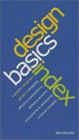
This book is the perfect graphic design primer for those who have never previously had to think about where and how objects should be placed on a page. The book is designed as a quick reference but can easily be read through from start to finish (recommended). It covers all of the basic components of graphic design such as colour, image, typography, and the grid but it also takes a detailed look at various concepts such as hierarchy, flow, grouping and proportion.
This is a comprehensive but compact and accessible book. It is written in a clear and informal style and along the way there are numerous exercises for the reader that help to create a better understanding of the topics being discussed. Needless to say, the book itself is beautifully designed. Everyone should read this book.
Design Basics Index is available at Amazon.co.uk.
Avery Hill Library copies: 4 ~ view catalogue entry
Design Elements: A Graphic Style Manual by Timothy Samara

Timothy Samara's book is a primer that illustrates and discusses all the basic principles of graphic design in a direct and easily digestible format. The book consists of 5 chapters; "Form and Space", "Color Fundamentals", "Choosing and Using Type", "The World of Image" and "Putting it All Together". Each one is lavishly illustrated with excellent examples that clearly illustrate the topic under consideration.
In addition to the 5 chapters, the reader will learn the author's "Twenty Rules for Making Good Design", a very good checklist of what to do and what to avoid. Although a book of this nature cannot contain everything that may be relevant, this book comes close and is the best one-volume introduction to graphic design I have seen.
Design Elements - A Graphic Style Manual is available at Amazon.co.uk.
Avery Hill Library copies: 4 ~ view catalogue entry
Letterhead & Logo Design 8 by Top Design Studio

There are dozens of design source books out there but this one is better than most. This, the 8th volume in the series, showcases a wide range of letterheads, business cards and logos in a variety of styles, all selected by Los Angeles based Top Design Studio. Naturally, there's a North American bias to the selected designs but there's just enough European design to give the book some edge.
The book is a great resource and contains lots of useful and interesting ideas for composition, colour choice and typography. Whether you're looking for something classic, modern, playful or just cool, there's an example in this book.
Letterhead & Logo Design 8 is available at Amazon.co.uk.
Avery Hill Library copies: 2 ~ view catalogue entry
The Best of Business Card Design: No.7 by Loewy:London

This is an excellent book, full of interesting and innovative takes on the business card. Since the examples are chosen by a London based design firm, the designs have a more European flavour than other volumes in this series. There are a wide variety of business card types illustrated here, using a range of different techniques and styles. There are great examples of die cutting, typography, graphic illustration, photography, mimicry, humour and great use of colour to get you inspired.
The Best of Business Card Design: No.7 is available at Amazon.co.uk.
Avery Hill Library copies: 2 ~ view catalogue entry
Universal Principles of Design by William Lidwell, Kritina Holden and Jill Butler
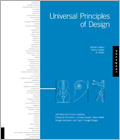
Universal Principles of Design, subtitled "100 Ways to Enhance Usability, Influence Perception, Increase Appeal, Make Better Design Decisions, and Teach through Design" is essentially a directory of all those design terms and "buzz phrases" that you know you ought to know the meaning of. The authors have chosen 100 design ideas and concepts and devote a double-page spread to each. Concepts such as Ockhams Razor, Fibonacci Sequence, Iteration and Legibility (the basics that all designers must understand) are beautifully described and illustrated with excellent examples to illustrate each point.
This is a general design reference although website examples are used where appropriate. All students of design should read this book and all designers should at least consider it a check list for their own knowledge and understanding.
Universal Principles of Design is available at Amazon.co.uk.
Avery Hill Library copies: 5 ~ view catalogue entry
Further reading
The books below all fill in gaps, overlap and expand upon the "Essential Text Books" listed above. You do not need to own them but they may be used as good alternatives or simply to explore a bit more of the subject.
Web Standards Solutions by Dan Cederholm

OK, so you learned about XHTML and you learned about CSS and you even learned about how they can work together. But what about technique and method? What is the best practice for creating navigation bars? Never fear, Dan Cederholm is here to show you how.
In truth, many of the methods described in this book are now standard practice for the seasoned web designer but for the beginner who has just got to grips with XHTML and CSS, this book is invaluable. The book focuses on best practice coding for the most common page elements such as headings, navigation, forms, page layout, styling text and, of course, image replacement. The book is well written and although it deals with some complicated issues, it does so in an easy and engaging way.
Web Standards Solutions is available from Amazon.co.uk.
Avery Hill Library copies: 1 ~ view catalogue entry
CSS Mastery - Advanced Web Standards Solutions (2nd Ed.) by Andy Budd

As its title suggests, this book picks up where Dan Cederholm's book (Web Standards Solutions) leaves off. Essentially, Andy Budd gives us more of the same. More methods, more power, and being a more recent publication, more "now". The book covers many of the same topics as Designing with Web Standards but just takes them to the next level. The two books, though, are not interchangeable. Beginners are strongly advised to work with Dan Cederholm's book first and then move on to this one. There is lots of really nice stuff in this book but if I were pressed to pick one section over the others, it would be the two chapters on Styling Links and Creating Nav Bars. They contain some lovely methods with beautiful results.
CSS Mastery (Advanced Web Standards Solutions) is available from Amazon.co.uk.
Avery Hill Library copies: 2 ~ view catalogue entry
Handcrafted CSS - More Bulletproof Web Design by Dan Cederholm
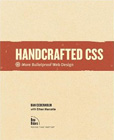
This is an inspirational book. It's full of useful techniques that produce excellent and beautiful results. Most importantly, it demonstrates how CSS3 can be implemented now by adopting what Dan Cederholm describes as "progressive enrichment", a philosophy that says it's OK that websites can look different in different browsers - in fact, that they should look different because some browsers are more capable than others and we should allow those browsers to provide a better user experience.
This is a full-colour book so that you can easily see the graphic results of the accompanying code - a really good way to learn. Read this book, cover-to-cover (it's not that long) and start working with CSS3 now. Also, if you can afford a little extra, the DVD edition is excellent too.
Handcrafted CSS is available at Amazon.co.uk.
Avery Hill Library copies: electronic ~ view catalogue entry
The Art of Looking Sideways by Alan Fletcher
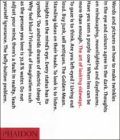
A wonderful book. Every designer should own a copy. This book is a golden treasury of design ideas, anecdotes, interesting facts and fantastic images. This is a book to reach for when you're short on inspiration. A few minutes (or hours - it's difficult to put down) later, you will feel refreshed and ready for any design challenge.
The book is best described by its author: "This book attempts to open windows to glimpse views rather than dissect the pictures on the wall. To look at things from unlikely angles. References to sources are occasionally provided to keep you going. The book has no thesis, is neither a whodunnit nor a how-to-do-it, has no beginning, middle or end. It's a journey without a destination."
Buy it and cherish it, The Art of Looking Sideways is available at Amazon.co.uk and is an absolute bargain.
Avery Hill Library copies: 9 ~ view catalogue entry
A Web Design Toolkit
Although most web designers will prefer to work with applications like Dreamweaver and Photoshop for maximum flexibility and functionality, it isn't really necessary. A perfectly adequate toolkit can be had for free. The applications listed below are all you need to create brilliant web pages.
- Notepad++ - Excellent open source code editor with syntax highlighting.
- FileZilla Client - Probably the best free/open source FTP client.
- Paint.NET - Amazing free image and photo editor, similar interface to Photoshop.
- Firefox - The open source and standards compliant browser.
- Web Developer Toolbar for Firefox - Indispensable set of browser utilities for web designers.
- Firebug for Firefox - Edit CSS live in a browser window; ideal for those pixel-perfect moments.
- Code Burner for Firefox - Excellent HTML and CSS reference guide from SitePoint.
 Write your XHTML and CSS code in Notepad++, create and edit your images in Paint.NET, preview the results in Firefox and then upload to your web server using FileZilla.
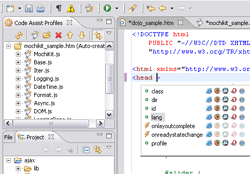
If you prefer working in an integrated development environment, take a look at Aptana Studio. In a nutshell, it's Dreamweaver without the WYSIWYG editor and because it's open source, there is a free version and it's available for PC and Mac.
Portfolio Templates
These portfolio templates are complete websites consisting of 6 pages; a homepage, 3 portfolio pages, a CV page and a contact page. All you need to do is add the content. You can also change the colours and layout by editing the main.css file.
Portfolio images should be a maximum width of 565 pixels wide but can be any height. Don't forget to change all the page titles, h1 tags and footer text to include your own name. You should also add a descriptive alt attribute to each image.


