
Autodesk Student Community
Introduction
The Autodesk Student Community was launched in 2006. The idea is to provide a place where students and faculty can download selected Autodesk software for free and where support materials can be found.
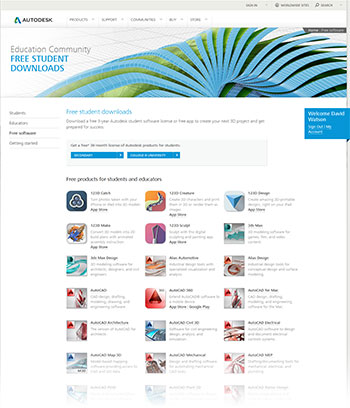
The student community may only be used by students from recognised colleges and universities. In order to join you will need to use your official University of Greenwich email address. This proves that you are a student and are entitled to use the free student software.
Getting the software
To get your free software, follow the link above to the Student Community site and sign-up using the email address given to you by the University. Your log-in details will be sent to the email address you used to sign-up. Once you have them, you can log-in and go to the Software Downloads page. There, you will find a long list of downloads. Try them all if you want but make sure you have a fast internet connection; some of the downloads are over a gigabyte! It may be sensible to download the software at the University, which has a very fast internet connection. It's also a good idea to share downloads with your friends. Since each product download can be installed any number of times, it only needs to be downloaded once and then copied to your friends. You will need your own unique serial number for each install and you can get this from the Software Download page.
The downloads are very big - hundreds of megabytes in most cases. You will not be able to save them on the University network because your personal area (the G: drive) does not allow you enough space. You will need to use a USB drive in order to save the download.
What's on offer?
At the time of writing there are over 70 different products available for download including:
- Revit
- AutoCAD
- AutoCAD for Mac
- Autodesk 3ds Max
- Autodesk Inventor
- Autodesk Maya
- numerous mobile apps
- and the 123D applications (free for anyone to use)
Installing the software
After you have downloaded the software, you will need to activate it with Autodesk using your unique serial number. If you do not activate your software, it will time-out after 30 days. Once activated, you will have a 36-month license to use the software. You can find more help with installation and activation on the Student Community site.
 Note: Be sure to download the correct version of AutoCAD for your operating system. Windows comes in 2 versions, 32-bit and 64-bit and you must install the correct version or AutoCAD will not work. To find out which Windows operating system you have, right-click on Computer in the start menu and select Properties. The chances are that if you bought your Windows PC or laptop after 2010, it will be using a 64-bit operating system but you should confirm this before downloading because the different versions will not work on the wrong operating system type. The screen-grab below is from Windows 7 but Windows 8 has a similar properties panel.

Student Editions
Although the available applications are full working versions, they are student editions and are not the same as commercial versions. For example, they can only be used for 36 months and cannot be upgraded. However, providing you are a student, you will always be able to download the latest version of AutoCAD. Also, some of the applications may have overprints. AutoCAD will print a border around any print that says "PRODUCED BY AN AUTODESK EDUCATIONAL PRODUCT ". Saved DWG files will also be marked as the same and will cause an alert if opened in a commercial product.
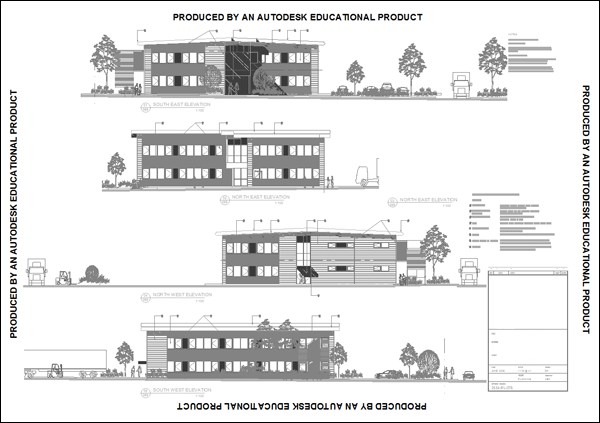
Do bear in mind that the educational license for these products does not allow their use for commercial purposes.
Learning resources
Once downloaded, you will need to find some learning materials. Most of the applications come with their own help system and introductory materials and it is worth lookig at these. You'll also find additional materials at the Student Community site. There are many other sources of learning materials. Have a look at the tutorials on the CADTutor site and on various other sites; many of them are very good. An increasing range of video tutorials can also be found on YouTube.